Welcome to Instroc
Instroc turns a description of an app into a real, working web app. You explain what you want in plain language, and Roc, the AI builder, designs and builds it for you: the pages people see, the database behind them, user accounts, file storage, and everything in between. You watch the app take shape in a live preview, refine it in conversation, and publish it to a live URL when you are happy.
You do not need to know how to code, set up a server, or configure a database. Every project comes with a complete backend on Instroc Cloud, so the app you build is not a mockup or a prototype. It stores real data, signs in real users, and can accept real payments through Stripe. If you can describe your idea, you can ship it.
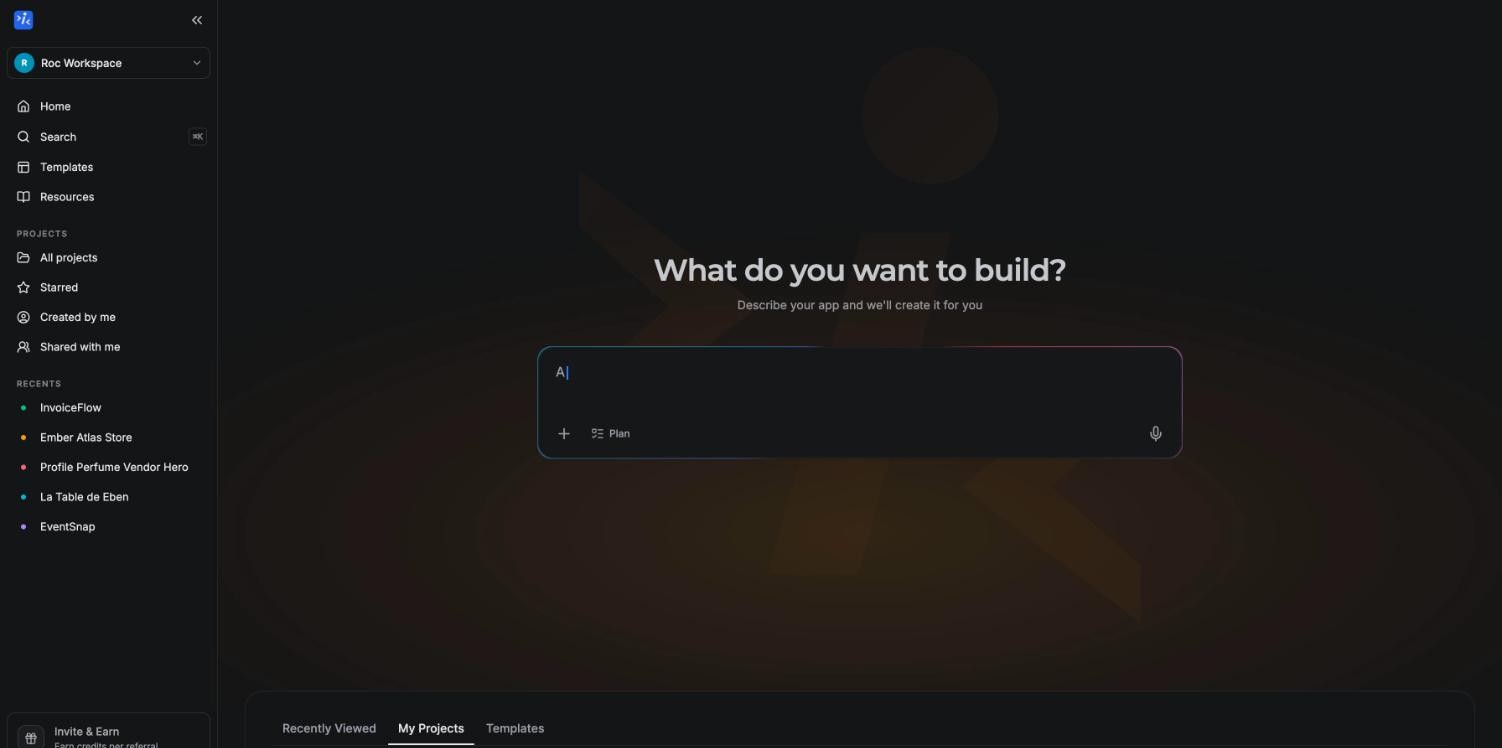
Press Cmd+K (Ctrl+K on Windows) anywhere in the dashboard to open project search and jump straight to any of your apps.
What you can build
Instroc is built for real products, not just landing pages. If you can describe it, you can build it. A few examples from apps people ship every day:
- Booking sites where customers pick a time and you manage appointments from an admin page.
- Client portals where signed-in clients see their own projects, files, and invoices.
- Invoicing tools that track customers, generate invoices, and take card payments.
- Storefronts that list products and check customers out with Stripe.
- Portfolios and personal sites with a contact form that lands in your inbox.
- Internal tools like dashboards, trackers, and CRMs for your team.
The list is open ended. Because every app includes a database, user accounts, file storage, and payments, ideas that would normally need a backend developer are fair game from day one: marketplaces, membership sites, learning platforms, community apps, or something nobody has a name for yet.
Key capabilities
A few things define how building on Instroc feels:
- Roc, the AI builder. Describe a change in chat and Roc plans it, edits the code, and rebuilds the preview. It asks a few quick questions up front so the first version lands close to what you meant. See the AI assistant.
- A real backend, included. Database, user accounts, file storage, serverless functions, and an owner inbox come with every project. Read the backend overview.
- Publishing in minutes. A short wizard takes your app live on your own instroc.app subdomain, and publishing is free on every plan. Free apps carry a small Instroc badge until you upgrade. See Publishing.
- Custom domains, start to finish. Connect a domain you own, or search, buy, and connect a brand-new one without ever leaving the app. DNS is set up for you automatically when you buy through Instroc. See Custom domains.
- Built-in analytics. Every published app tracks visitors, pageviews, top pages, and referrers with nothing to install. See Analytics.
How these docs are organized
The docs follow the same path you will take as a builder:
- Introduction starts here. What is Instroc explains how building with Roc works, and the Quickstart walks you from a blank dashboard to a live app.
- Getting started covers the everyday surfaces: creating a project, the editor, and publishing your app.
- Publishing & Domains handles going live: publishing, public and private apps, sharing your app, custom domains, and environment variables.
- Features goes deeper on individual tools such as the AI assistant, the preview, the code editor, templates, and your public profile.
- Workspaces & Teams explains workspaces and inviting members with roles.
- Instroc Cloud covers what your app's backend gives you: the database, authentication, storage, API routes, and webhooks.
- API Reference documents the SDK and HTTP API for readers who want the technical details, starting at the overview.
- Integrations covers connecting services like Stripe and Resend, plus GitHub.
- AI Prompting collects best practices, example prompts, and troubleshooting for getting great results from Roc.
- Billing explains plans, credits, and Instroc Cloud usage.
You do not need to read everything. Most people finish the Quickstart, then dip into other sections when a question comes up.
Where to get help
If you get stuck, have a question the docs do not answer, or hit something that looks like a bug, email us at [email protected]. Real answers from the team, not an autoresponder.
Ready to build something? Head straight to the Quickstart. Your first app can be live before you finish your coffee break.