Instroc Cloud
Every app you build on Instroc can have a real backend. This page explains what Instroc Cloud gives you, walks through each section of the Cloud panel in the editor, and shows how backend usage is billed. If your app needs to remember anything (orders, signups, messages, uploads), this is the part of Instroc that makes it possible.
Enabling it takes one click. Open your project, go to the Instroc Cloud section, and choose Enable Cloud. There is no configuration to do. In most cases you will not even need the button, because Roc enables Cloud automatically when your idea clearly needs data or user accounts, for example "a booking app for my salon" or "a members-only community".
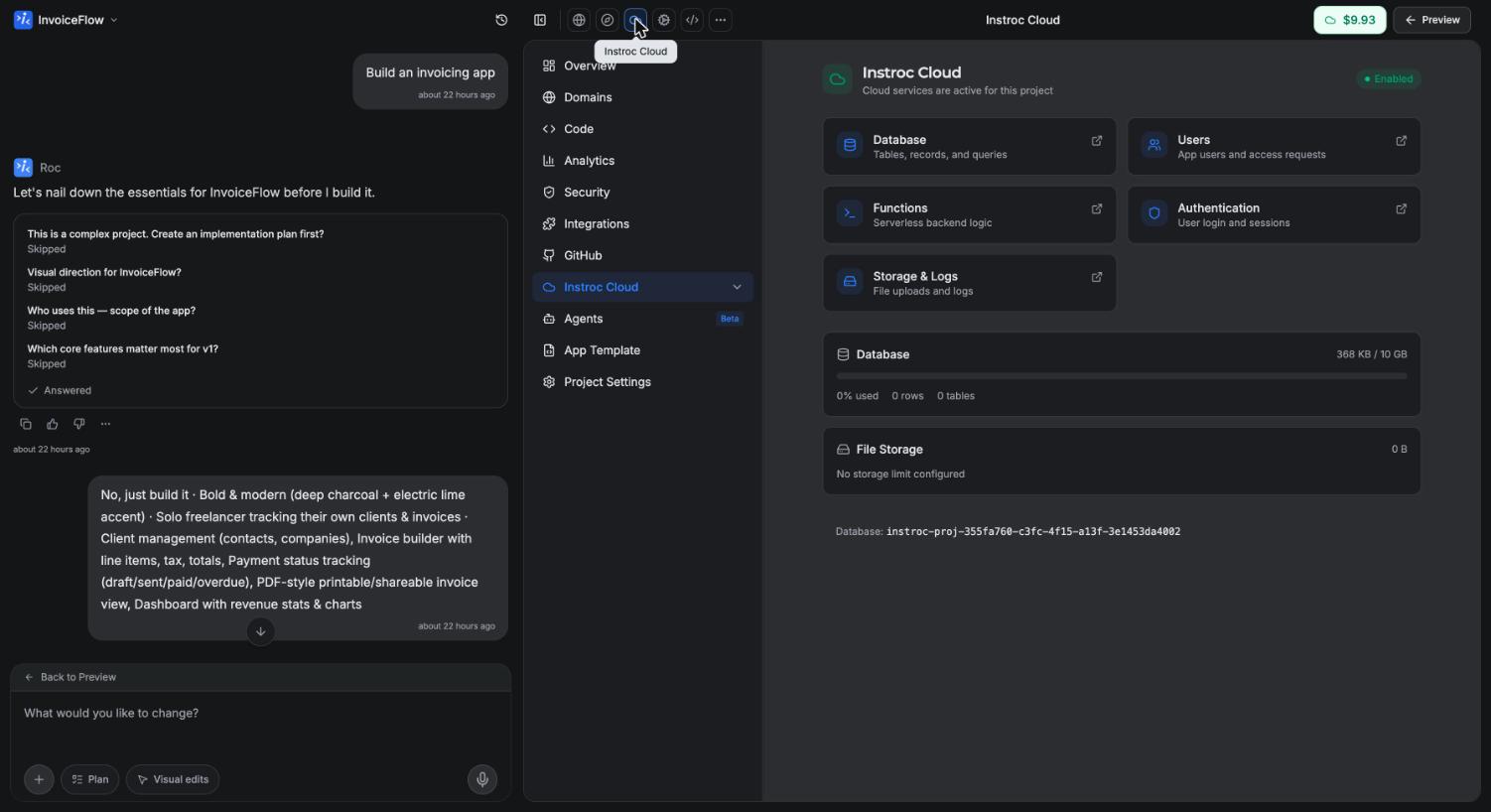
What you get
Instroc Cloud bundles everything a working app usually needs on the server side, managed for you:
- Its own private database, with up to 10 GB of storage per app
- User accounts and sign-in (email and password, plus Google and GitHub)
- File storage for images, documents, and anything else your app keeps
- Serverless functions for custom server-side work
- Scheduled tasks that run on a timer
- Webhooks, both outgoing (notify other services when data changes) and incoming
- An owner Inbox that collects messages from your visitors and emails you
- Per-URL SEO settings for your published pages
- Logs so you can see what your backend is doing
You never set up a server, a database, or hosting for any of this. It comes with the app, and it scales with real usage.
A tour of the Cloud panel
Once Cloud is enabled, the Instroc Cloud section of the workspace expands into a set of panels. Here is what each one does.
- Usage shows what your app is consuming (requests, storage, reads and writes) and what that costs against your allowance and balance.
- Data is where you browse your tables, view and edit records, and manage each table's visibility settings. See Database.
- SQL Editor lets you run SQL directly against your app's database when you want more control than the Data panel gives you.
- Storage holds your app's uploaded files in public and private buckets, with upload and preview built in. See Storage.
- Users lists everyone who has signed up for your app, so you can see who your actual users are.
- Authentication controls how sign-in works: which providers are on, whether signups are allowed, and whether email verification is required. See Authentication.
- API & Secrets manages your project key, API keys, and environment variables across Production, Staging, and Development environments. You can add variables one at a time or import a .env file.
- Functions is where serverless functions live, both ready-made templates and fully custom ones. See API routes and functions.
- Webhooks configures outgoing notifications that fire when records in your tables change. See Webhooks.
- SEO Routes sets per-URL titles, descriptions, and social images, using exact paths like /about or wildcards like /products/*. See SEO routes.
- Scheduled Tasks runs functions on a cron-style timer, for things like nightly cleanups or weekly digest emails.
- Inbox collects messages sent from inside your app, covered below.
- Logs shows a record of backend activity, which is the first place to look when something behaves unexpectedly.
The owner Inbox
Every Cloud project includes an Inbox that receives messages from your app's visitors and signed-in users. It is the simplest way to power a contact form, a feedback widget, or a waitlist, because you do not need to connect an email service at all. When a message arrives, you are emailed automatically, and it is free. Each message can be up to 5,000 characters.
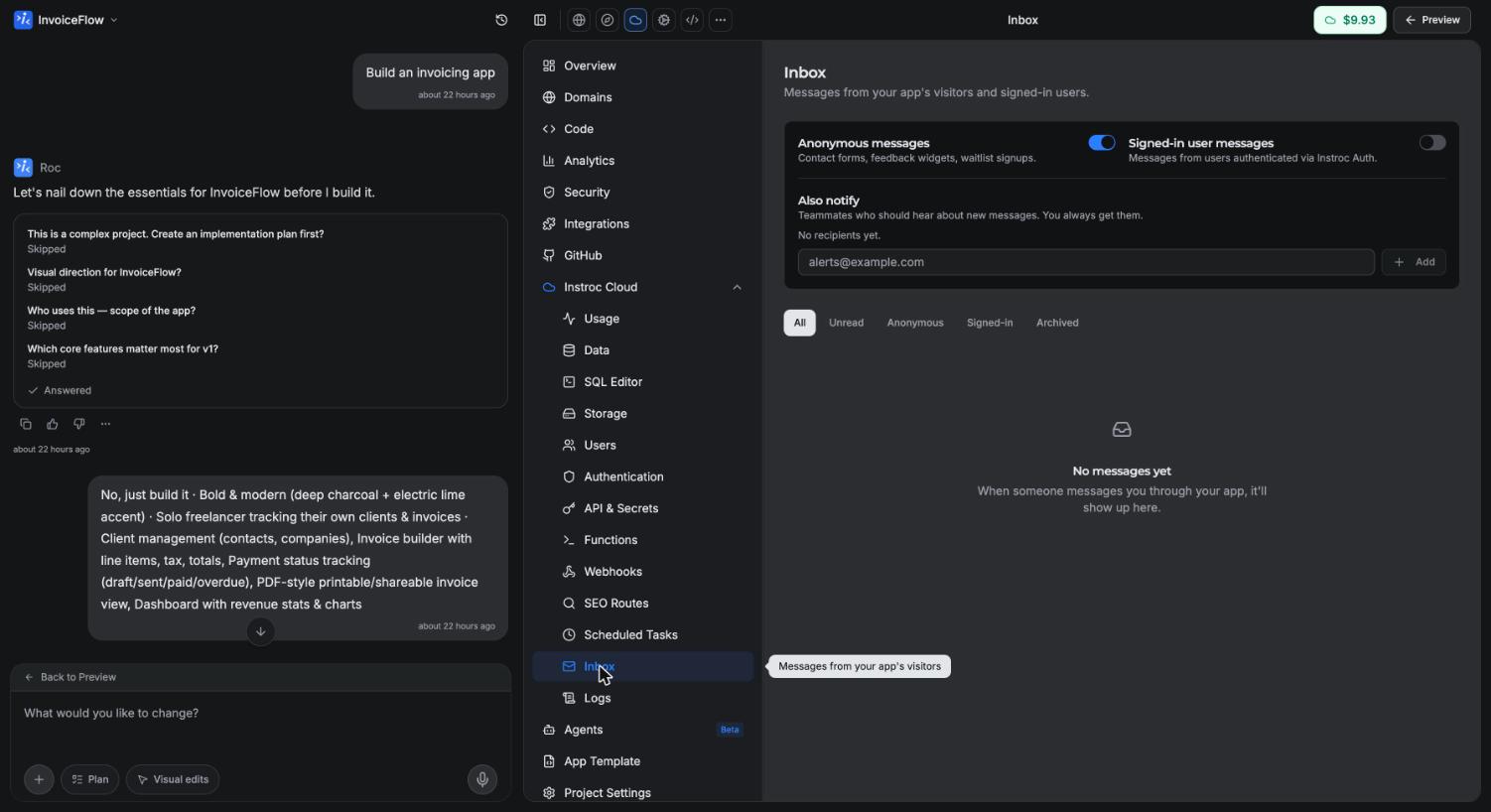
The Inbox panel has toggles for two channels, anonymous messages and signed-in user messages, so you can accept either or both. You can also add up to 5 extra notification email addresses, and filter messages by All, Unread, Anonymous, Signed-in, or Archived.
How billing works
Instroc Cloud is billed separately from AI credits. Your apps' actual usage (requests, database storage, file storage, reads, writes, bandwidth) is metered and billed hourly against your Cloud allowance first, then your topped-up Cloud Balance. Every plan includes a monthly allowance, there is no platform fee, and an idle published app costs nothing.
Enabling Cloud does not cost anything by itself. You pay only for what your published apps actually use, at the rates on instroc.com/cloud.
For the full picture, including allowances per plan, budget limits, and top-ups, see Cloud billing.
Where to go next
Start with Database to understand how your app stores data, then Authentication for user accounts. When you are ready to write custom server logic, read API routes and functions. Developers who want exact method signatures should head to the API reference.