Instroc Cloud usage
Instroc has two meters. Credits pay for Roc's work while you build. Instroc Cloud usage is the second meter: it covers what your published apps consume while they run, things like requests, database activity, and bandwidth. This page explains the rates, the allowance every plan includes, and how billing behaves so your apps stay online without surprises.
Everything you build here can be published and run without you setting up a server, a database, or a payment provider. You pay for what your apps actually use, at the rates below.
What things cost
Seven meters cover everything a running app does. There is no platform fee and no per-seat charge, and an idle published app costs nothing. Rates can change, so the current numbers always live at instroc.com/cloud.
| Meter | Rate | What it covers |
|---|---|---|
| File storage | $0.02 / GB / month | Images, documents and anything else your app stores. |
| Database storage | $1.00 / GB / month | The records your app keeps, like orders, posts or customers. |
| Requests | $1.00 / million | Every page load and every call your app makes. |
| Records read | $0.10 / million | Every time your app looks something up. |
| Records written | $1.50 / million | Every time your app saves or updates something. |
| Integration calls | $1.50 / million | Calls your app makes to a connected service on your behalf. |
| Bandwidth | $0.05 / GB | What your app sends to the people using it. |
To put those numbers in perspective, a small app with a few hundred visitors a month typically uses cents, not dollars. Each app has its own database, capped at 10 GB, and you get email warnings as you approach it at 5 GB and 8 GB.
Every plan includes an allowance
Each plan comes with Cloud usage included, so most apps run for free within their allowance.
| Plan | Allowance |
|---|---|
| Free | $5, once at signup |
| Hobby | $5 per month |
| Starter | $10 per month |
| Pro | $20 per month |
| Business | $25 per month |
Paid allowances reset every month, and unused allowance does not carry over. The Free allowance works differently: it is a one-time $5 that stays with you until it is spent, however long that takes.
How you get billed
Allowance first. Usage draws down your allowance before anything else.
Then your balance. Once the allowance is used, spending comes from your Cloud Balance, the funds you have topped up. Topped-up funds never expire.
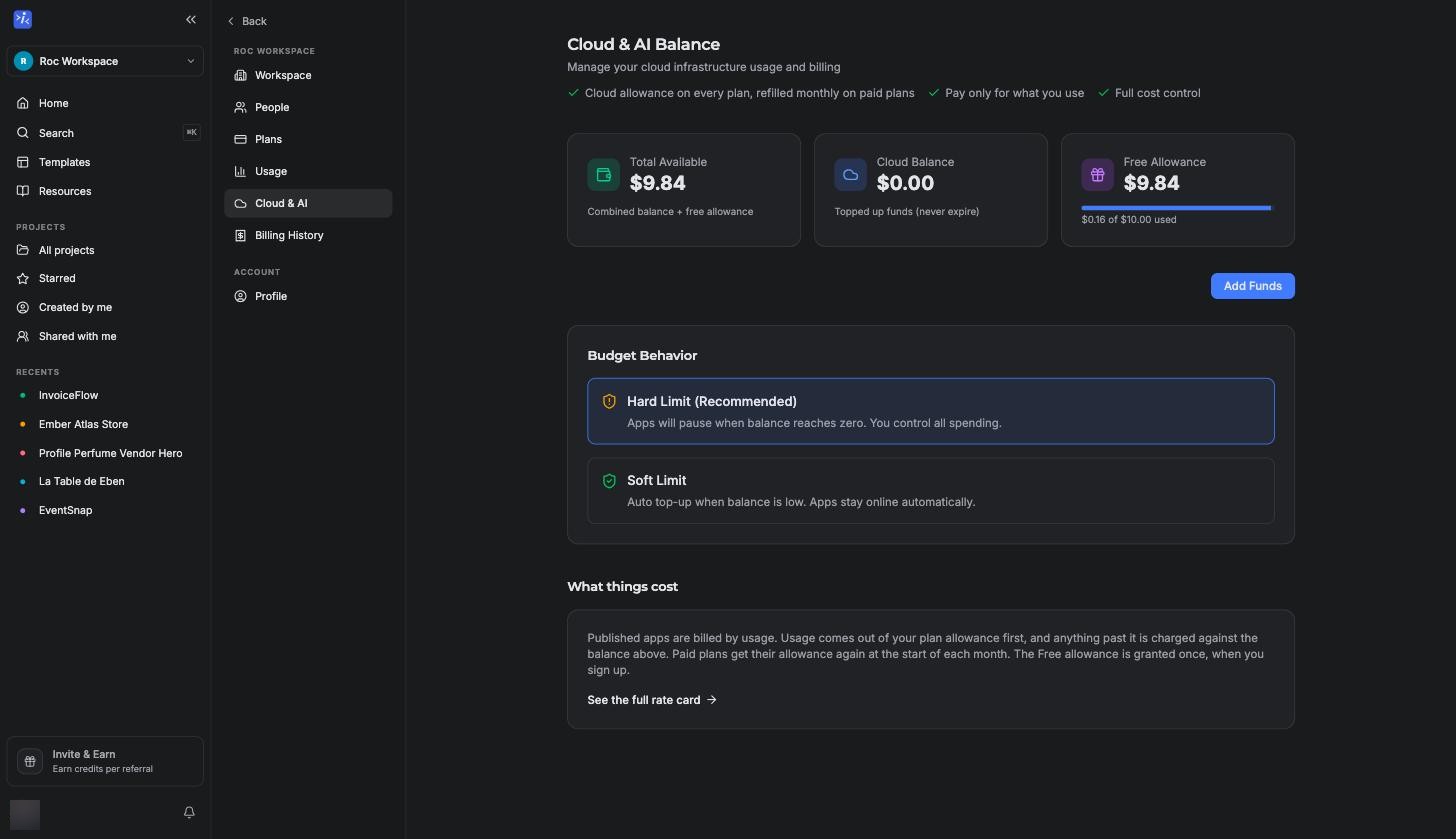
Your cap, your call. You choose what happens when both hit zero. With Hard Limit (Recommended), your apps pause when funds run out, and nothing is ever charged beyond what you have loaded. With Soft Limit, auto top-up adds funds automatically so your apps stay online.
Usage is metered continuously and charged hourly, and the dashboard shows your Current Unbilled Usage so you always know where the meter stands. The page also shows Total Available, which is your remaining allowance plus your Cloud Balance combined.
On the Free plan, if the one-time allowance runs out and there are no topped-up funds, your published app stops answering requests until you add funds or move to a paid plan. Your project and its data are untouched; only the live app pauses.
Adding funds
Top up your Cloud Balance any time with the Add Cloud Funds dialog. Top-ups run from $5 to $500, with presets at $5, $10, $25, $50, $100, $250, and $500. Funds never expire.
If you prefer not to think about it, auto top-up (the Soft Limit behavior) triggers when your balance drops below $5, adds $25, and respects a monthly limit of $100 by default. All three numbers are adjustable.
What that adds up to
For most builders the practical takeaway is simple. Publishing is free, the allowance covers light traffic, and idle apps cost nothing, so experimenting is safe. The meters only become interesting once an app has real users, and by then the dashboard's Current Unbilled Usage and the usage panel in your workspace show exactly where the spend is going. If a number ever looks off, write to [email protected] and we will take a look with you.