Members and roles
Inviting people into a workspace gives them access to its shared projects and credits. Every member has a role, and the role decides exactly what they can do, from viewing projects to publishing them or managing billing. This page covers inviting, the four roles, and the full permission table.
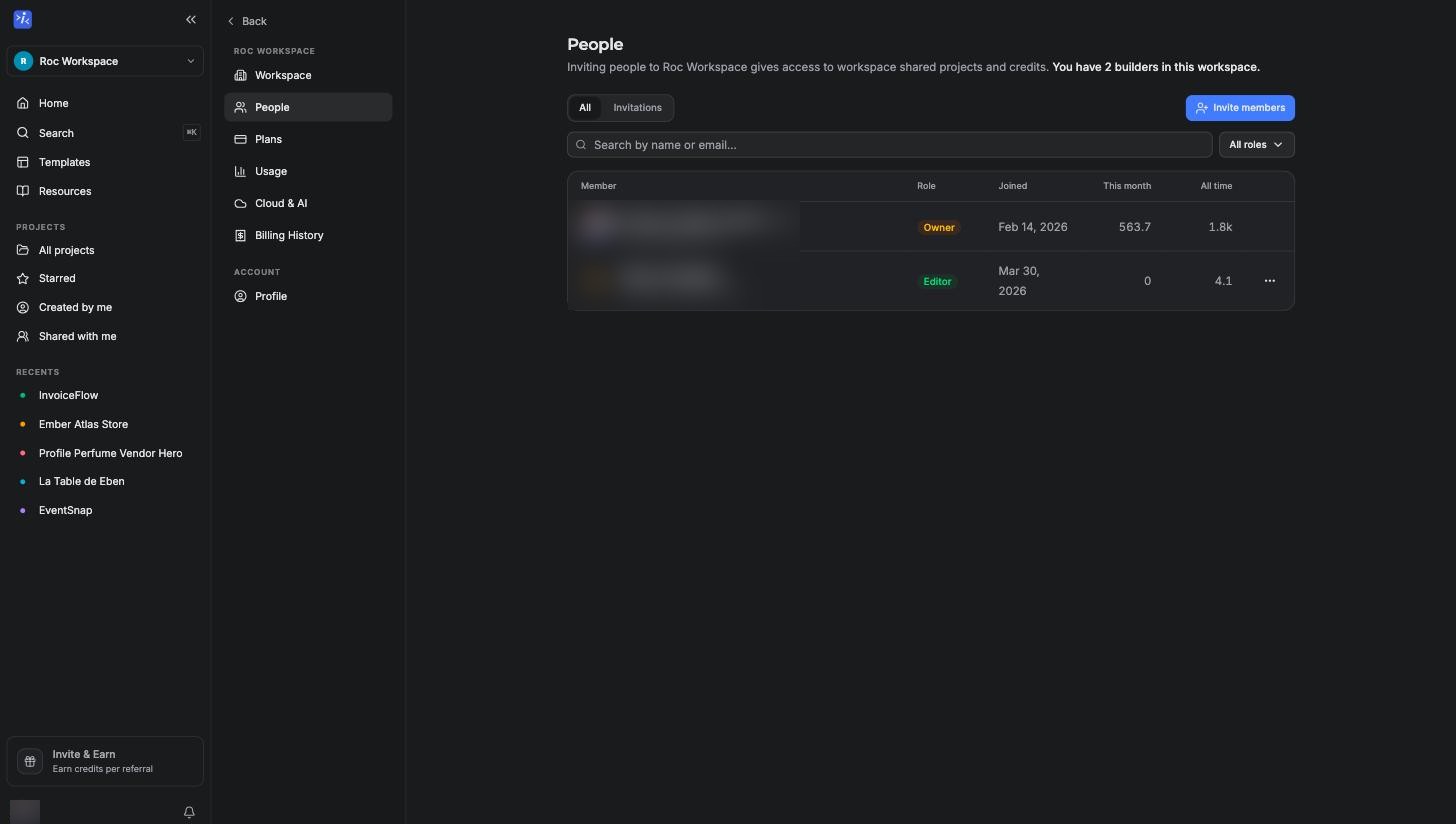
Inviting members
Go to Settings, People tab and click Invite members. You invite by email and pick a role for each person. Invitations expire if they are not accepted, and the Invitations tab on the same page shows what is still pending. A few practical rules:
- Only admins and owners can invite people.
- You cannot invite someone as an owner. The owner is the person whose plan the workspace runs on.
- Invitations are limited to 10 per workspace per day.
How many people you can have in one workspace depends on the owner's plan (pending invitations count too):
| Plan | Collaborators per workspace |
|---|---|
| Free | 0 |
| Hobby | 0 |
| Starter | 5 |
| Pro | 25 |
| Business | 100 |
The People page also shows each member's credit usage this month and all time, which is handy for seeing where a team's credits actually go.
The four roles
| Role | In one sentence |
|---|---|
| Viewer | Can look at projects but cannot change anything. |
| Editor | Can create and edit projects and build with Roc. |
| Admin | Everything an editor can do, plus publishing, domains, integrations, and managing members. |
| Owner | Everything, including billing, changing roles, and the workspace itself. |
What each role can do
The exact permission matrix, straight from how the product enforces it:
| Action | Viewer | Editor | Admin | Owner |
|---|---|---|---|---|
| View projects | Yes | Yes | Yes | Yes |
| Create and edit projects | Yes | Yes | Yes | |
| Build with Roc (uses workspace credits) | Yes | Yes | Yes | |
| Publish and update live apps | Yes | Yes | ||
| Manage custom domains | Yes | Yes | ||
| Connect integrations | Yes | Yes | ||
| Publish templates | Yes | Yes | ||
| Invite and remove members | Yes | Yes | ||
| Change member roles | Yes | |||
| Manage billing and the plan | Yes | |||
| Restore the database to a past point | Yes |
A few of these are worth spelling out. The Publish button simply does not appear for viewers and editors, so an editor can build all day without being able to push anything live. Database restores are owner only because they replace live data; see Database history. And billing is strictly the owner's, so a client you invite as an admin can run their project without ever seeing your subscription.
Changing roles and removing members
Owners can change any member's role from the People page using the menu on each row. Admins can remove members but cannot change roles. When someone is removed they lose access immediately; nothing they built goes away, because projects belong to the workspace, not the person.
A note on clients and agencies
A common setup: you build in your own workspace on a paid plan, invite the client as a viewer so they can follow along, then either transfer the project to their workspace when it is done or keep operating it for them. Roles make both models work without sharing your account.
Related pages
- Workspaces for creating and organizing workspaces.
- Plans for collaborator limits per plan.
- Publishing for what publishing involves once you have the role for it.